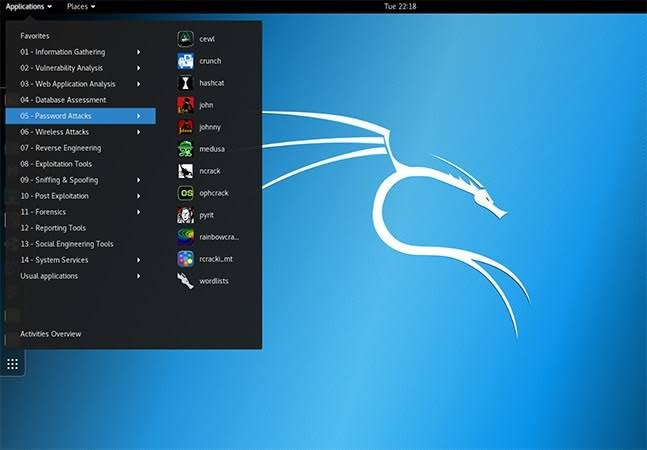
Kali Linux is an Operating System for hackers and security researchers. It becomes with dozens of hacking softwares and tools such as Hydra, Aircrack-ng, WPScan, Wireshark, Metasploit, Nmap and much more, pre built in.
Because of all the softwares and the fact that it is made specifically for hackers, it is very convenient, and useful for hackers. Also, it saves them a lot of time
Kali Linux can be installed on a laptop, or directly run through a live, persistent or none persistent USB drive.
There are also other operating systems for security researchers out there, such as Parrot OS, Live Hacking OS, BackBox, DEFT Linux and much more.
There are number of ways to run Kali Linux using a laptop or PC. Here’s 3 different methods to run Kali Linux on a laptop:
Method 1: Installing on the Hard Disk
In this method we will be installing it on the laptop hard disk, the same way we install a windows. You can also run install kali alongside other OS’s such as Windows 10 and Dual Boot.
Note: installing Kali as the main OS is not suggested for it was not meant to be run as main OS. But you can choose to ignore that.
Here’s how to install kali linux as main OS:
- Download Kali Linux image file from here
- Burn the image on a USB Drive or a DVD and insert it in your PC
- Now boot from your CD/USB (F12/F9/ESC, depending on your laptop)
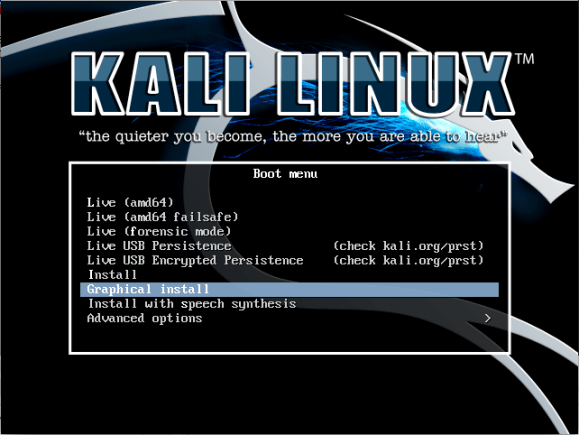
- Choose either Graphic install or Text Mode(Graphical install is recommended).
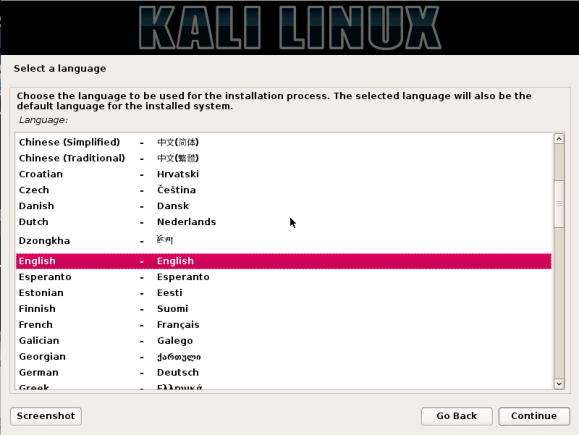
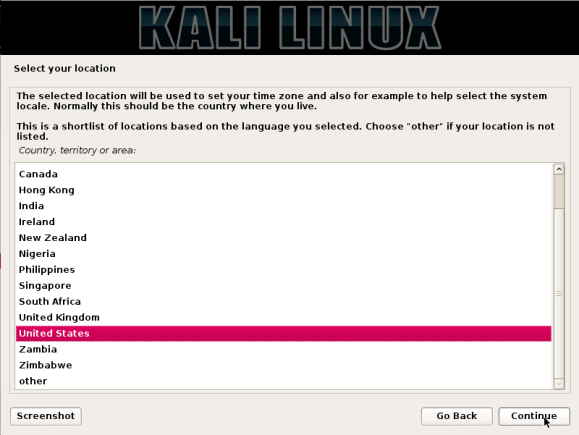
5. Select your language and your location and click continue.
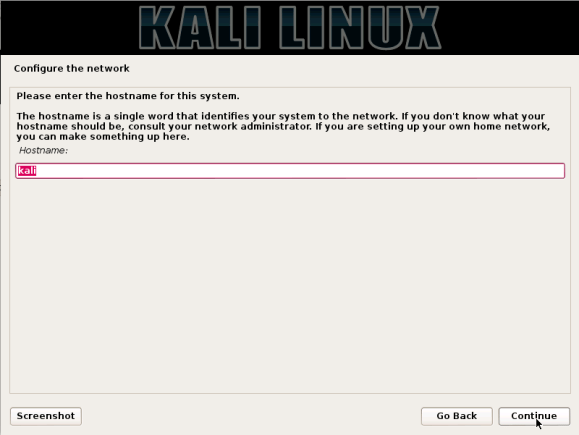
6. The installer will ask you to configure the network connection and a host name. Simply type “kali” as the hostname.
7. It’ll ask you for a default domain name. It’s optional so click continue.
8. It’ll ask you to provide a full name and to choose a username. Provide the details and continue.
9. Set your time zone next and continue
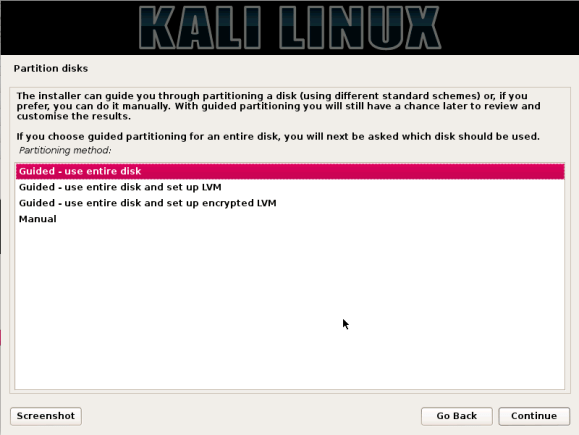
10. The installer will provide you with four different options. Choose “Guided – ue entire disk”. It’s recommended for those who don’t understand what this means.
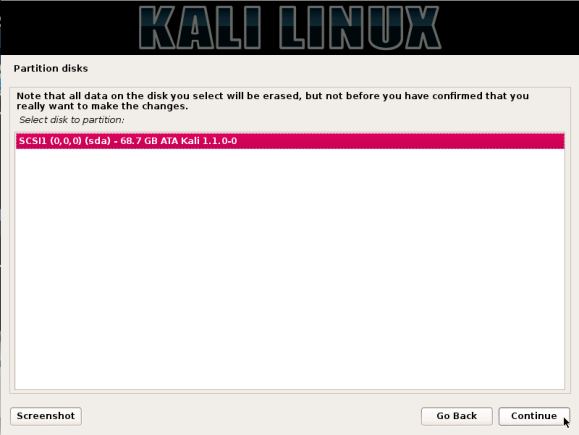
11. Select the disk to be partitioned( all files on that disk will be deleted.
12. Now choose “all files in one partition”
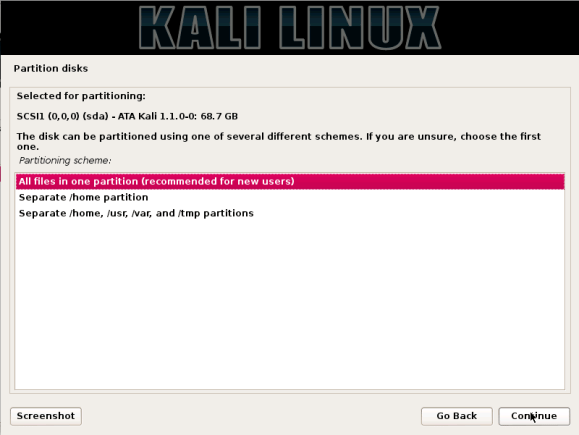
13. Now review your choices and if your sure, click next.
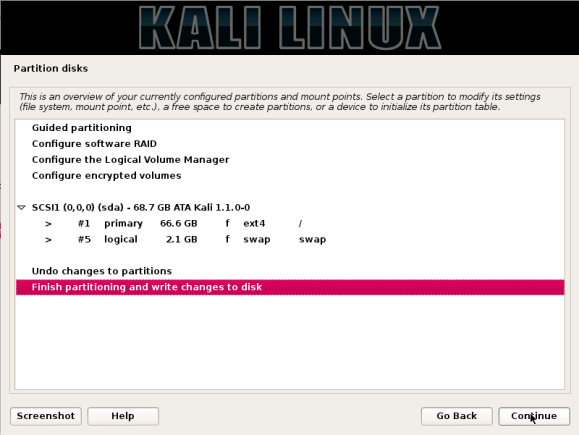
14. Choose “yes” and click continue. Also select “yes” when asked whether or not to install Grub Bootloader. You can also select no, it’ll still boot automatically.
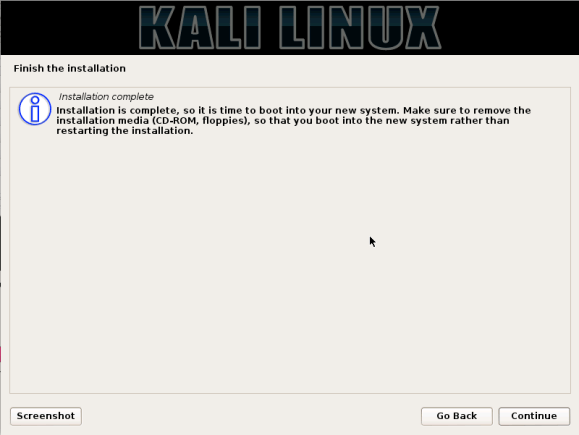
15. The installation is complete! Click coninue to boot into Kali Linux.
Method 2: Windows 10 sub system for Linux
With the new update for windows 10, yo can now install and run linux OS’s from Windows 10. Here’s how to install it on windows 10.
- First, update your Windows 10.
- Then, open PowerShell as administrators and enter this line on PowerShell: “Enable-WindowsOptionalFeature -Online -FeatureName Microsoft-Windows-Subsystem-Linux” (without quotes). A restart will be required after the activation of the feature.
- Now simply go to App Store and search for Kali Linux or click here to be redirected there.
- Install and enjoy using Kali Linux on Windows!
Method 3: Using VirtualBox
Using some kind of virtual environment is probably the best way to run Kali Linux. You can use virtual environment both on Windows and Linux. I recommend using Oracle VM VirtualBox. It’s available for Windows, MacOS and Linux and it works good.
Here are the steps for setting up VirtualBox on Windows:
- Go to this webpage and download VirtualBox for your operating system.
- Now install it and run it.
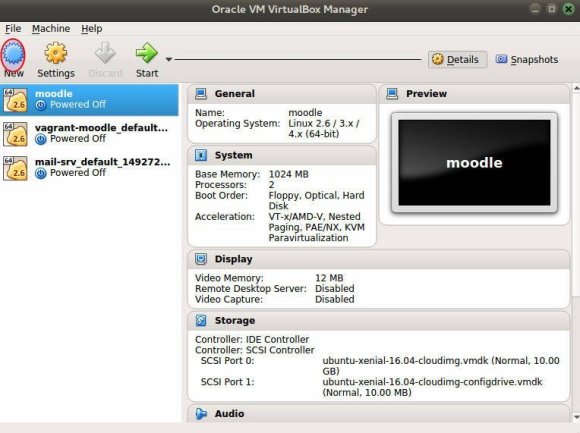
Choose New and add Kali Linux ISO file.
4.
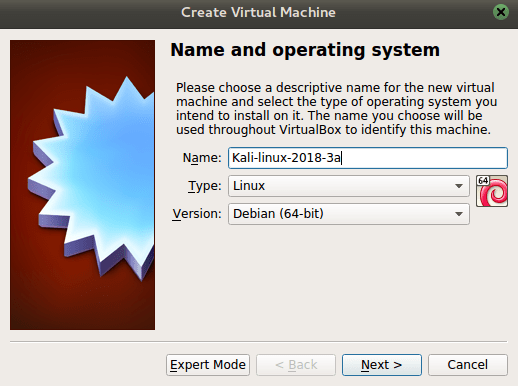
Name your OS and choose Linux in Type and Debian 64 bit in Version and click Next.
5.
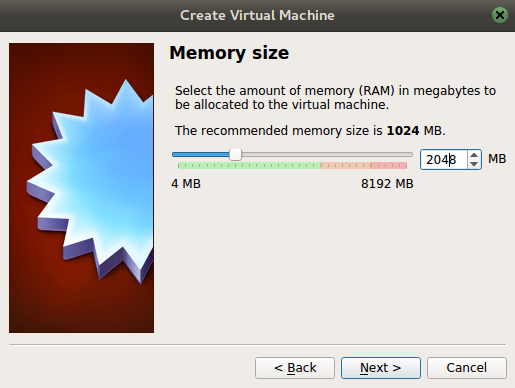
Se the memory. The higher the memory, fster the performance.
6. Choose create a new virtue hard disk now and click next.
7. When it asks for file location and size, set the size to at least 10 GB.
8. Now click create and choose Kali Linux and run it.
9. That’s it. Enjoy
Leave Comments if you have any questions or problems.
 Hacking Tutorials and Guides